Verification
Edited
Verification is where identity checks are completed and status is tracked.
Status
Your verification status is displayed as Unverified, Pending, or Verified.
When status becomes Verified, a blue checkmark appears next to your username.
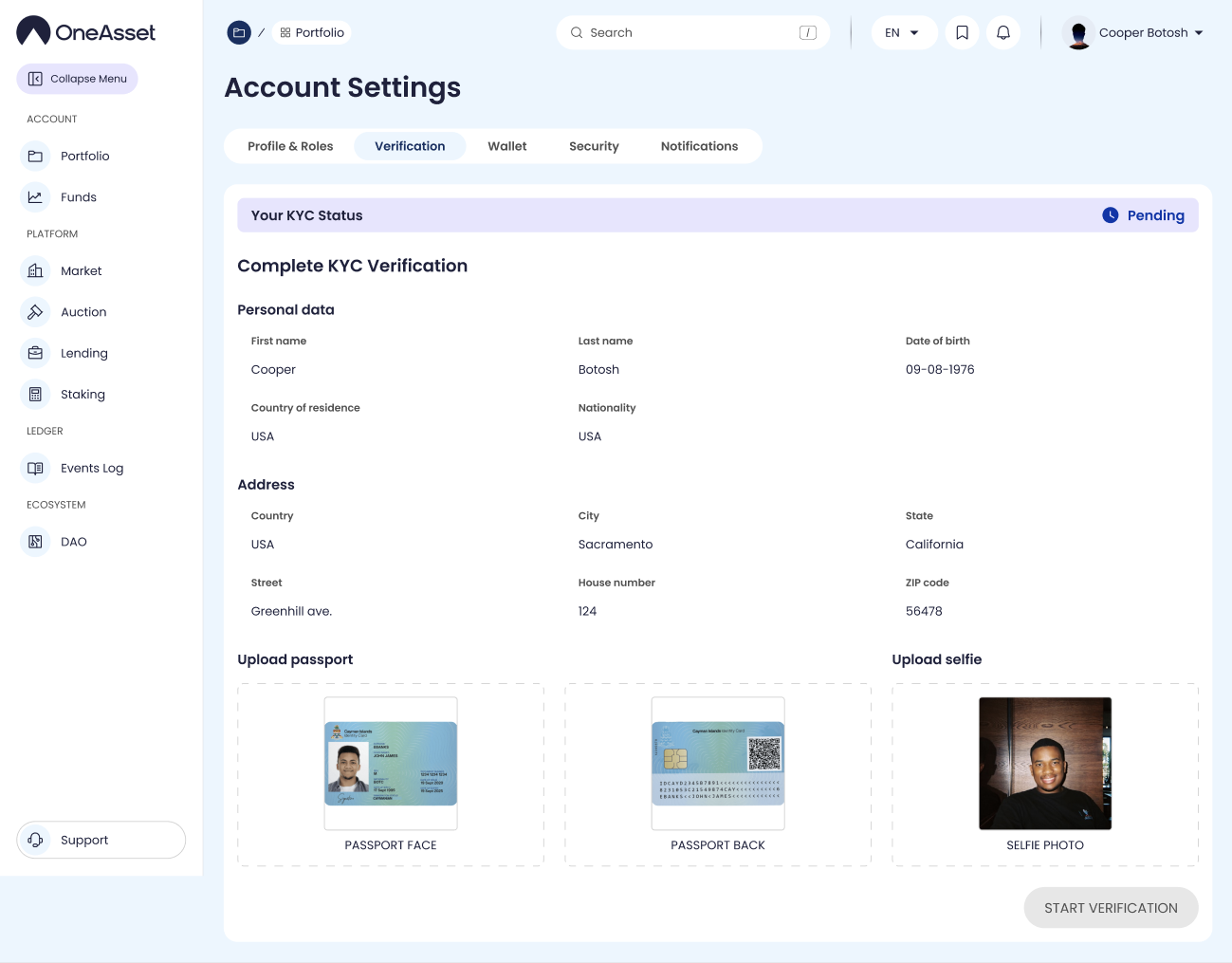
KYC form
Complete the required fields: First name, Last name, Date of birth, Country of residence, Nationality.
Complete Address fields: Country, City, State, Street, House, ZIP code.
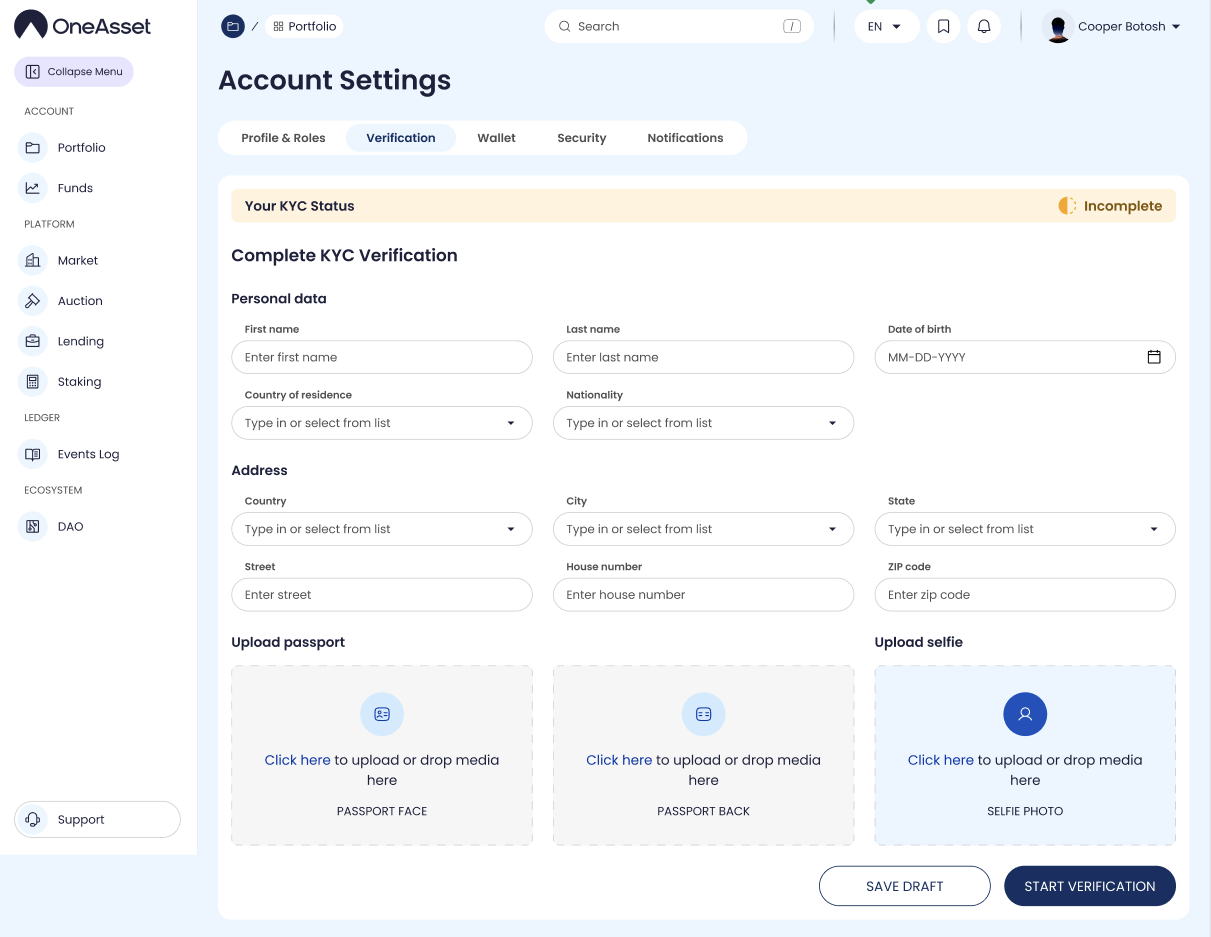
Document uploads
Upload passport images: Face and Back.
Upload Selfie.
Actions
Save Draft saves without submitting verification.
Start Verification submits the verification request and moves status to Pending.
Save Changes persists edits where allowed.
verification
kyc
account verification