Account Roles
Account roles defines which role(s) are assigned to the account and enforces compatibility rules between roles.
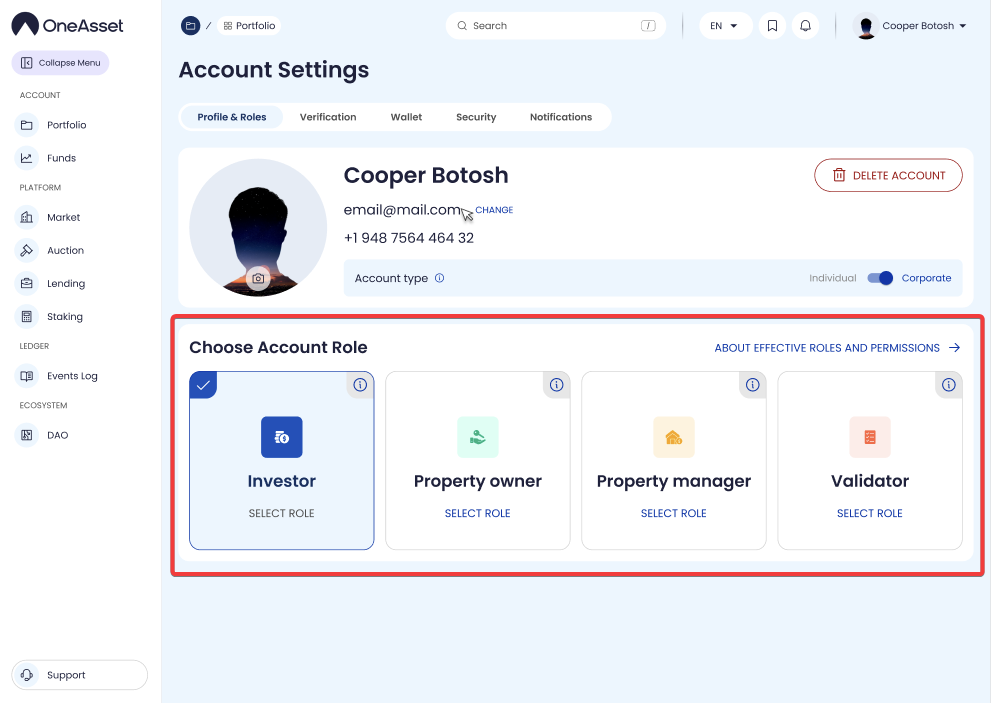
Role toggles
Available roles are listed with a toggle per role and an i icon.
If a selected combination is not permitted, the platform automatically switches the conflicting selector check mark off.
Role tooltips
Investor: contribute capital, lend, borrow, govern.
Property owner: list property, raise funds.
Property manager: corporate-only; operational execution, income distribution, reporting.
Validator: authenticates data and provides ecosystem security.
Verification requirement messages
If the selected roles require verification, the page displays a requirement banner:
MSG 1: “You have selected [account type 1], [account type 2]; to proceed, please complete the KYC in the section below.”
MSG 2: “You have selected [account type 1], [account type 2]; to proceed, please complete KYC and KYB in the section below.”
Consent and confirmation
Select the checkbox: “I hereby accept the Effective Roles and Permissions of the account types selected”.
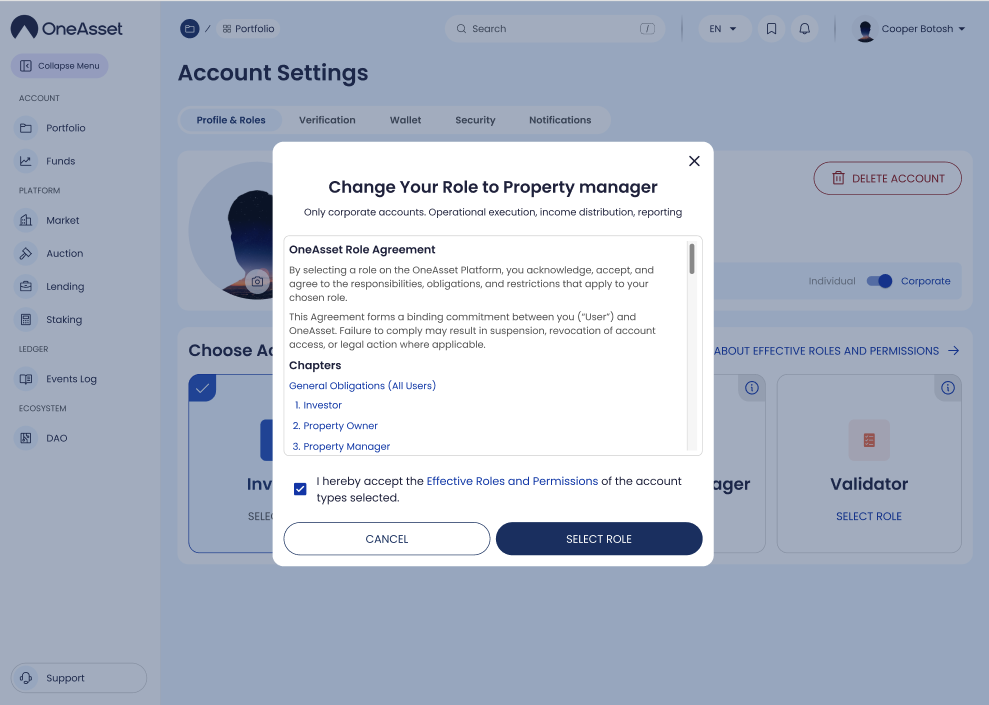
Click Select Role to apply the selected roles and continue.