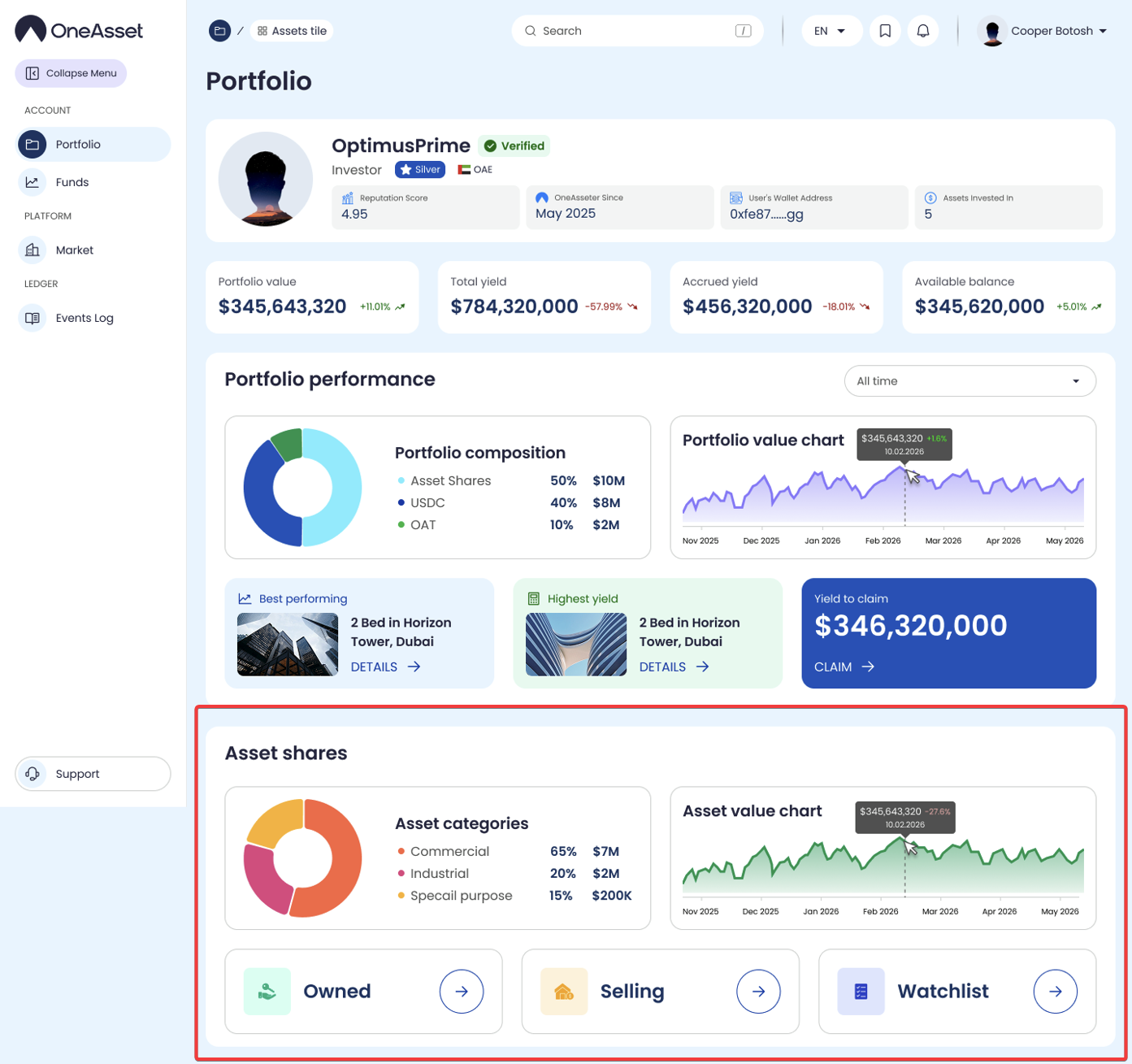
Asset Shares
The Asset Shares section is the entry point for discovering owned asset shares. It provides search, filtering, and access to each property’s detailed page.
Find Asset Shares
Navigate to the Asset Shares from the Dashboard to view the relevant sections.
Each section represents the current status of Asset Shares your account is currently interacting with.
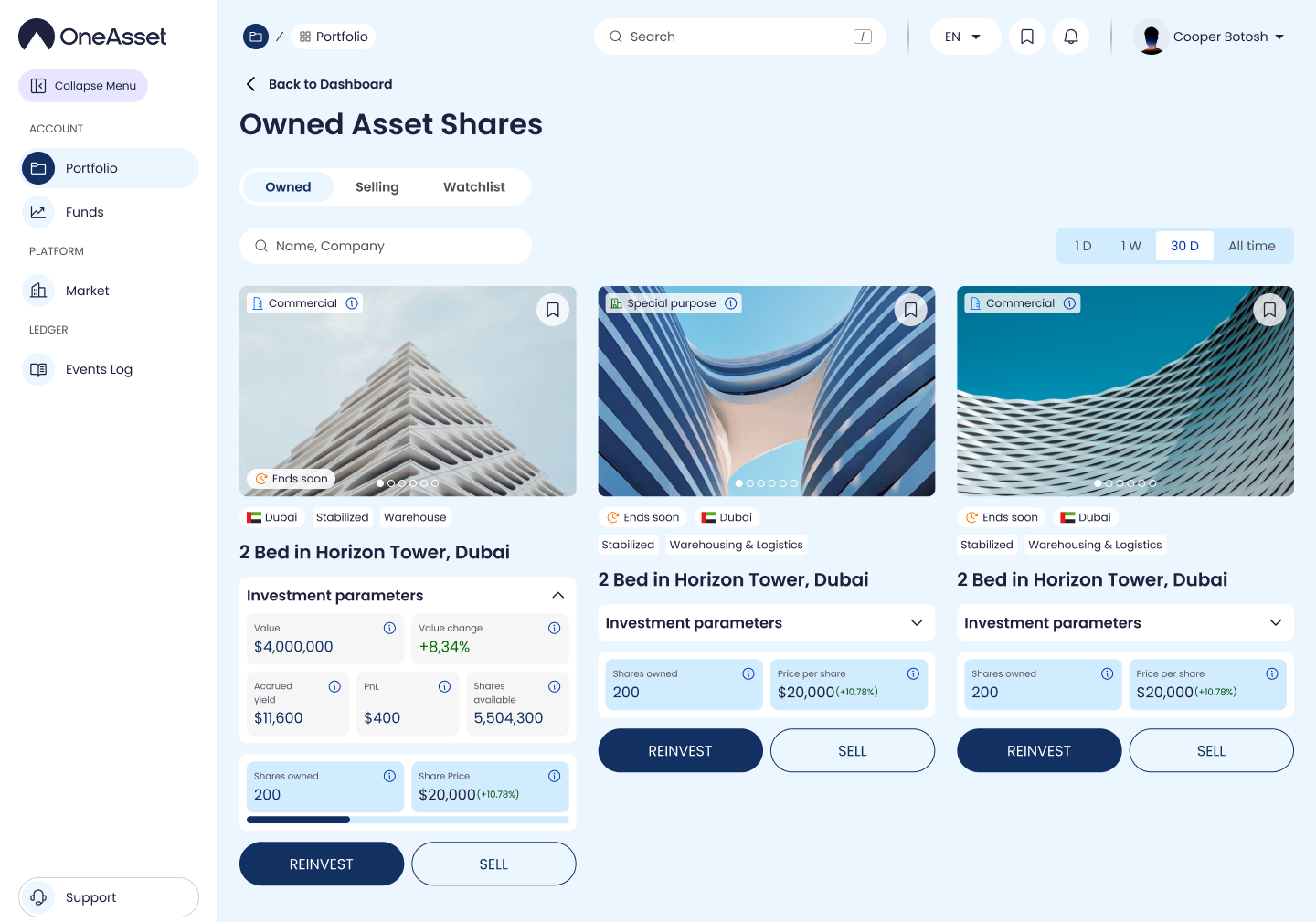
Owned Asset Shares
Displays asset shares that are currently owned by you.
Use the filter controls to narrow results by available criteria, then clear filters to return to the full list.
Click Reinvest if you are willing to increase your shareholdings of this particular Asset.
Click the Sell if you are willing to reduce your shareholdings of this particular Asset partially or fully.
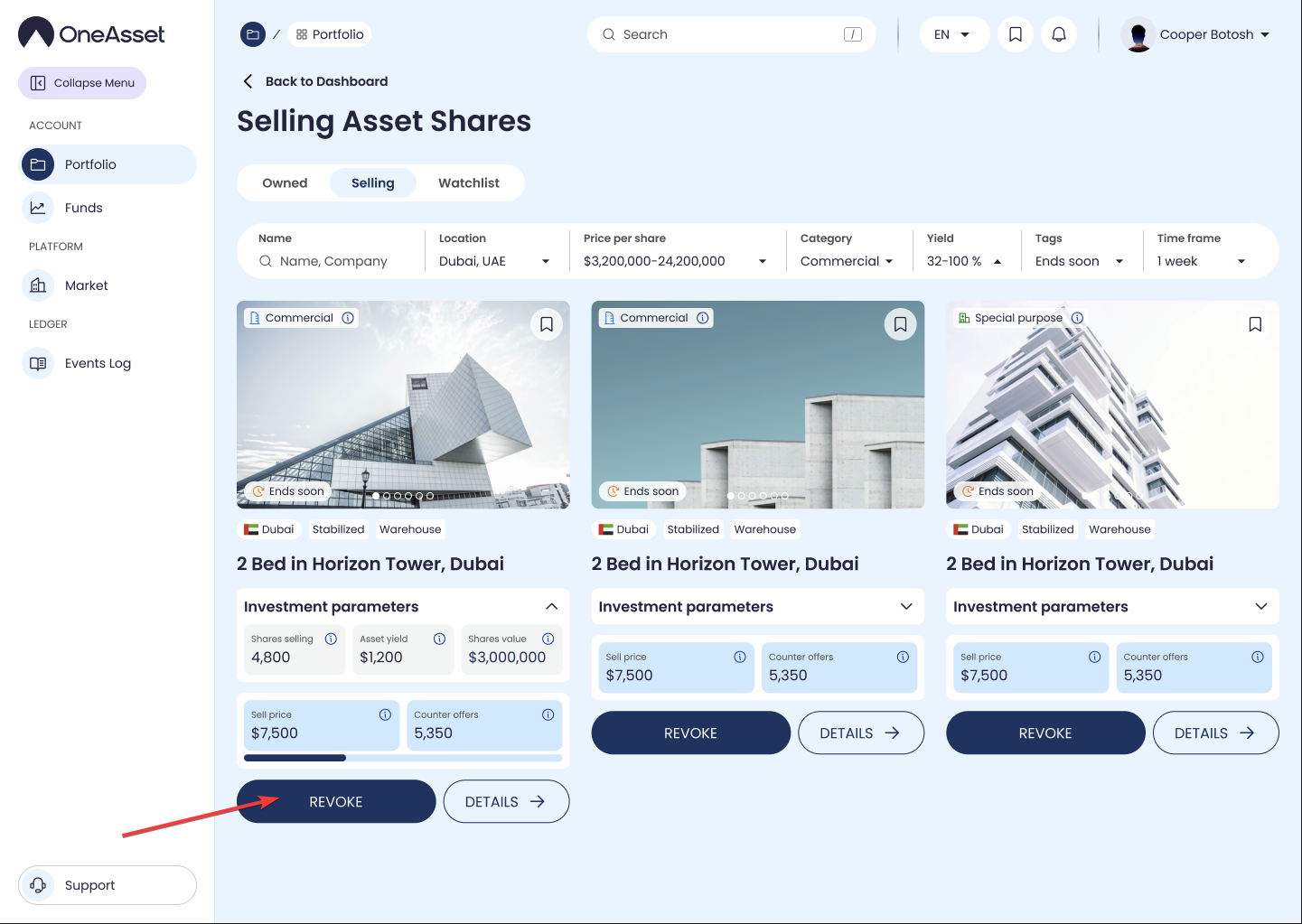
Selling Asset Shares
Navigate through your Selling Assets easily using the parameters.
Revoke your Sell Order anytime before the Order is Filled.
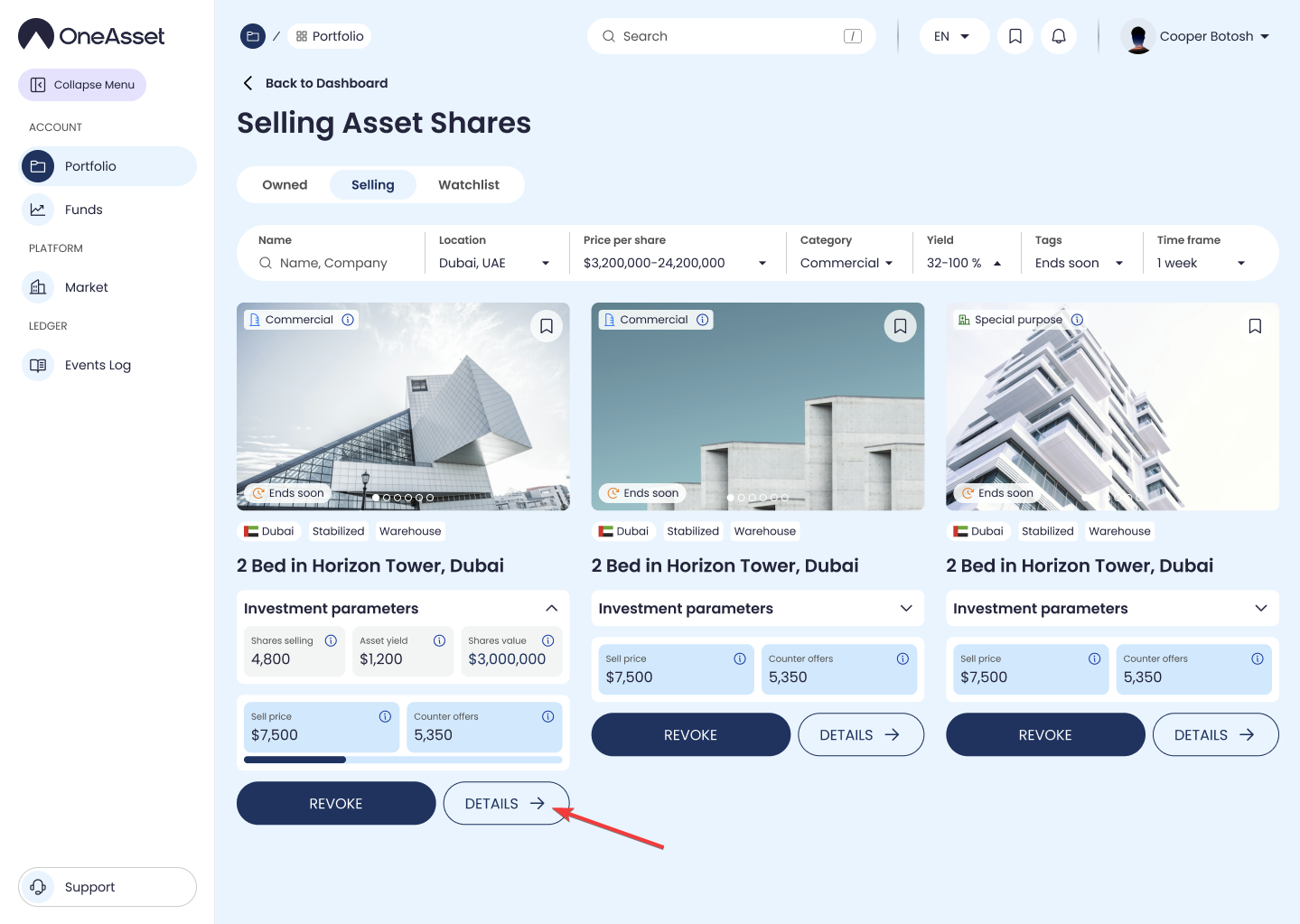
Open a property page
Click the Details button to open the Asset's distinct Property Page.
The property page is the source of truth for the property’s details and available actions.